



Please see here a summary of the advantages of a registration at GLBrain
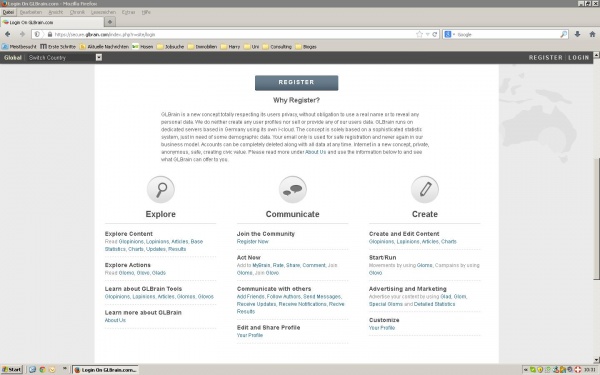
So how does the registration process runs?
Via http://www.glbrain.com/index.php you find the GLBrain home the button „Register“ (marked yellow). Please confirm and you find the registration mask.
Please enter under Log in Details your email address (can be your personal one, but also a new one from the different providers or a one-way email address) und your password. We need your email address just for identification respectively as contact info in the event you forget your password – your email address and any other personal data are not base of our business model and GLBrain does not forward or sell personal data. You will never receive any spam-mails due to the registration at GLBrain.
When you want to be registered as a individual follow the entry mask. If you want to register as an organisation push the blue button "Register Organization"
As a private person please fill in under Personal Details your first name, last name, date of birth, gender, city (nearest to your residence) and country – DONE!
As an organisation you are aiming for a public exposure. Under Organisation you enter name and select the category: company, NGO, political party or NPO for any other form.
Under Details and Location please indicate county, the nearest town, date of foundation your entity, number of users/ members, the website and the address.
As a next step you may enter on optional base in About Us a short description of your organisation. This summary with will be well visible displayed in your profile and gives interested parties a first impression about your organisation.
Finally confirm acceptance of Terms of Use and GLBrain will send you as the last step of registration procedure on the indicated email address a message to confirm the registration via an activated link to GLBrain.
For further information see our user profile GLBrain Info, where you find all information about GLBrain in a PR-serie.



Share the News