

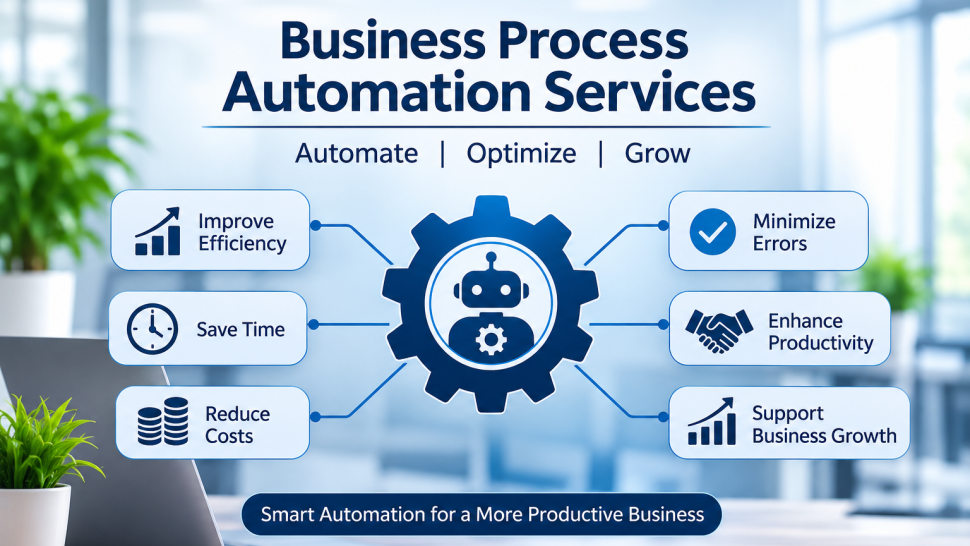

Every business has repetitive tasks that consume valuable time. Employees spend hours updating spreadsheets, sending follow-up emails, processing invoices, managing customer information, approving requests, and moving data between different software systems. Although these tasks are necessary, handling them manually can slow down operations and increase the chances of errors.
Business automation helps companies simplify everyday operations by using software, integrations, workflows, and predefined rules to complete repetitive tasks with less manual effort. It does not mean removing employees from business operations. Instead, it allows teams to spend more time on customer relationships, decision-making, problem-solving, and other important responsibilities.
In this practical guide, we will explain how businesses can implement automation successfully, what processes they should automate first, common mistakes to avoid, and how Vision Infotech helps businesses build reliable automation solutions.
What Are Business Process Automation Services?
Business process automation refers to using technology to perform repetitive business activities according to defined workflows, rules, and conditions. It reduces the need for employees to manually complete every step of a process.
For example, when a customer submits an inquiry through a website, an automated workflow can collect the information, create a CRM record, assign the inquiry to a sales representative, and send an acknowledgment email.
Instead of managing each activity separately, businesses can connect these steps into a single workflow.
Business Process Automation Services help companies identify, design, develop, integrate, and maintain these automated workflows according to their operational requirements.
How Business Automation Works
Most automation workflows follow a simple structure:
- Trigger: An event starts the process, such as a form submission, new order, payment, or incoming email.
- Action: The system performs a task, such as creating a record, sending a notification, or updating information.
- Condition: The workflow checks specific rules before continuing.
- Result: The process completes automatically or sends an exception to an employee for review.
This approach makes daily operations more organized and easier to monitor.
Why Businesses Need Process Automation
Manual business processes often create problems that become more noticeable as a company grows. Automation helps address these challenges by improving consistency, reducing unnecessary work, and making information easier to manage.
1. Reduce Repetitive Manual Work
Employees frequently perform the same activities throughout the day, including data entry, sending reminders, updating records, creating reports, and checking task status.
Automating these activities gives employees more time to focus on work that requires experience, communication, or judgment.
For example, a sales team can automate follow-up reminders after sending a quotation instead of maintaining a separate spreadsheet to track every prospect.
2. Reduce Human Errors
Manual data entry can lead to incorrect customer details, duplicate records, missed approvals, and incomplete documentation.
Automated workflows can transfer information between connected systems using predefined rules. Validation checks can also identify missing or incorrect data before a record moves to the next stage.
Although automation cannot eliminate every error, it can reduce common mistakes caused by repetitive manual activities.
3. Improve Productivity Across Departments
When departments use separate tools, employees may spend unnecessary time searching for information or requesting updates from other teams.
Automation can connect different departments and systems, allowing information to move smoothly between sales, finance, customer support, HR, and operations.
4. Support Business Growth
As a company grows, the number of orders, inquiries, invoices, and service requests also increases. Hiring additional employees to manage every repetitive activity may not always be the most practical solution.
Well-designed automation helps businesses handle higher workloads without increasing manual work at the same rate.
5. Improve Customer Experience
Customers expect timely communication, accurate information, and quick responses.
Automated acknowledgment emails, appointment reminders, order notifications, support ticket assignments, and follow-up messages help businesses maintain consistent communication throughout the customer journey.
Which Business Processes Should You Automate First?
One of the biggest implementation challenges is deciding where automation will provide the most value. Businesses should not automate every process at once. The best starting point is usually a process that is repetitive, predictable, time-consuming, and easy to measure.
Sales and Lead Management
Sales teams often receive inquiries from websites, emails, advertising campaigns, social media, and referral channels.
Without an organized system, leads can be missed or contacted too late.
Automation can help with:
- Capturing leads from multiple sources
- Creating CRM records automatically
- Assigning leads to sales representatives
- Sending inquiry acknowledgment emails
- Scheduling follow-up reminders
- Updating lead stages
- Generating sales reports
For example, when a prospect submits a consultation request, the workflow can create a lead in the CRM, assign it based on location or service interest, and notify the responsible sales representative.
Finance and Accounting
Financial operations include several repetitive tasks that require accuracy and proper documentation.
Businesses can automate:
- Invoice creation
- Payment reminders
- Expense approvals
- Purchase order processing
- Recurring billing
- Payment status updates
- Financial data synchronization
An invoice approval workflow can route invoices according to their value. Smaller invoices may follow a standard approval process, while larger amounts require additional authorization.
Human Resources
HR teams manage employee information, onboarding, attendance, leave requests, and internal documentation.
Automation can simplify:
- Employee onboarding checklists
- Document collection
- Leave request approvals
- Interview scheduling
- Employee notifications
- Training reminders
- Offboarding procedures
For example, once a candidate accepts an offer, an onboarding workflow can notify HR, create tasks for IT, request required documents, and schedule orientation activities.
Customer Support
Customer support teams frequently handle similar questions, service requests, complaints, and ticket updates.
Automation can help by creating support tickets from emails or website forms, assigning tickets based on categories, sending status updates, escalating overdue requests, and collecting customer feedback.
These workflows help support teams maintain consistent service while reducing administrative workload.
A Step-by-Step Guide to Implementing Business Automation
Successful implementation requires proper planning, process understanding, and testing. Businesses should follow a structured approach instead of automating tasks without a clear objective.
Step 1: Identify Existing Business Problems
Start by understanding where employees spend the most time and which processes create delays.
Speak with employees who handle daily operations. They can explain which activities require repeated data entry, manual approvals, unnecessary communication, or frequent corrections.
Create a list of processes that need improvement.
This assessment helps businesses focus on problems that affect productivity instead of automating tasks simply because technology is available.
Step 2: Map the Current Workflow
Before building an automated process, document how the existing process works.
Identify:
- Who starts the process?
- What information is required?
- Which departments are involved?
- What approvals are needed?
- Where do delays usually occur?
- What happens when information is missing?
- How is the process completed?
For example, a purchase request may involve an employee, department manager, finance team, and purchasing department.
Mapping these steps makes it easier to identify unnecessary activities and understand how automation should work.
Design a Better Workflow
After documenting the existing process, simplify it wherever possible.
If three employees are checking the same information, consider whether one validation step is sufficient. If information is already available in another system, determine whether it can be transferred automatically.
Automation should improve the process, not reproduce unnecessary steps in digital form.
Step 3: Set Clear Automation Goals
Every automation project should have measurable objectives.
Instead of saying, "We want to automate sales," define what improvement you want to achieve.
Examples include:
- Reduce lead assignment time from several hours to a few minutes.
- Decrease invoice approval delays.
- Reduce duplicate customer records.
- Improve customer response time.
- Reduce manual reporting work.
- Increase the number of requests handled by the existing team.
These goals provide a clear way to evaluate whether the automation project is successful.
Step 4: Choose the Right Technology
The technology you select should support your business requirements, existing software, and future growth.
Some workflows can be automated using built-in features available in CRM, accounting, HR, or project management software. More complex processes may require integrations, custom development, APIs, or advanced workflow logic.
When evaluating automation tools, consider:
- Integration with existing business applications
- Ease of configuration and maintenance
- Security and access permissions
- Workflow customization
- Reporting and monitoring
- Scalability
- Total implementation cost
Companies looking for Business Process Automation Services in USA should also consider whether the implementation partner understands their industry requirements, communication expectations, business workflows, and technology environment.
Step 5: Build and Integrate the Workflow
Once the workflow and technology are finalized, the implementation team can develop the automation.
This may involve creating workflow rules, connecting applications, configuring notifications, developing custom functions, and establishing data validation requirements.
For example, a customer onboarding process may connect a CRM, document management system, billing platform, and email application.
When a new customer is approved, the workflow can create the customer profile, prepare onboarding tasks, notify the assigned team, and send the required welcome communication.
Integration is particularly important when businesses use multiple applications. Without proper connections, employees may still need to transfer information manually, limiting the benefits of automation.
Step 6: Test Before Going Live
Testing is an essential part of implementation. A workflow that works correctly with one example may fail when it encounters incomplete information, unusual conditions, or multiple requests at the same time.
Test different scenarios, including:
- Complete and incomplete information
- Duplicate records
- Approval and rejection conditions
- Incorrect data
- Delayed responses
- Failed integrations
- Unassigned tasks
For an invoice approval workflow, test invoices with different amounts, missing information, rejected requests, and invoices requiring multiple approvals.
Businesses should also verify that notifications reach the right employees and that records are updated correctly.
Step 7: Train Employees and Launch
Employees need to understand how the automated process works and what responsibilities they still have.
Training should explain:
- How to use the new workflow
- Which activities are automated
- When manual intervention is required
- How to handle exceptions
- Where to report problems
- How to monitor process status
A phased rollout is often useful. Start with one department or a limited group of users, collect feedback, resolve issues, and then expand automation to other teams.
Step 8: Monitor and Improve
Automation is not a one-time project. Business requirements, software systems, and workflows change over time.
After implementation, regularly review performance metrics such as completion time, error rate, processing volume, employee workload, customer response time, and workflow failures.
If a process begins creating unnecessary notifications or sending requests to the wrong department, update the workflow rules.
Ongoing monitoring helps keep Business Process Automation Services useful as business operations evolve.
Real-World Example: Automating a Customer Inquiry Process
Consider a software company receiving customer inquiries through its website.
Previously, an employee checked the inbox, copied the inquiry into a spreadsheet, assigned it to a salesperson, and sent a manual acknowledgment. If the salesperson forgot to follow up, the potential customer might never receive another response.
The company implements an automated inquiry workflow.
Before automation
- Website inquiry received
- Employee checks email
- Customer details copied manually
- Lead assigned manually
- Follow-up reminder created
- Acknowledgment email sent
After automation
- Inquiry submitted through website
- Lead created automatically in CRM
- Lead assigned based on predefined rules
- Acknowledgment email sent
- Follow-up task created
- Sales manager notified when a lead remains uncontacted
The sales team still handles conversations, understands customer requirements, and prepares proposals. Automation simply removes repetitive administrative steps.
This is a practical example of how Business Process Automation Services can improve consistency without replacing the human interaction that matters in sales.
Common Implementation Mistakes to Avoid
Even well-planned automation projects can face problems when businesses overlook important implementation details.
Automating an Inefficient Process
If the existing process contains unnecessary steps, automating everything may make the workflow more complicated.
Review and simplify the process before development begins.
Choosing Tools Without Understanding Requirements
A tool may offer many automation features but still fail to meet the company's integration or customization requirements.
Evaluate the software based on actual business needs rather than feature lists alone.
Ignoring Employee Feedback
Employees understand how processes work in real situations. Ignoring their feedback may result in workflows that are difficult to use or do not solve the actual problem.
Involve employees during planning, testing, and rollout.
Over-Automating Decisions
Not every business decision should be handled automatically. Financial exceptions, customer complaints, sensitive approvals, and unusual requests may require human review.
Automation should include escalation rules and clear ways for employees to intervene.
Failing to Monitor Performance
Without monitoring, businesses may not notice workflow failures, incorrect assignments, or integration problems.
Establish clear ownership for maintaining automated processes and reviewing their performance.
How to Measure the ROI of Business Automation
Businesses should evaluate automation using both financial and operational improvements.
A simple way to estimate the value is to compare the cost of manual work before implementation with the cost of operating the automated process.
For example, imagine a team spends 100 hours every month handling a repetitive process. After automation, the process requires only 25 hours of employee oversight.
The business saves 75 working hours monthly.
To calculate the financial value, multiply the hours saved by the average hourly cost of the employees involved. Then subtract the implementation and ongoing automation costs to understand the net benefit.
Other important measurements include:
- Average process completion time
- Number of manual errors
- Customer response time
- Number of tasks completed
- Employee workload
- Missed deadlines
- Customer satisfaction
These measurements help businesses understand whether automation is delivering meaningful results and where additional improvements may be needed.
Why Choose Vision Infotech for Business Automation?
Implementing automation requires more than technical development. Businesses need a technology partner who understands their processes, existing software, operational challenges, and long-term goals.
Vision Infotech helps businesses improve their operations through custom software development, business automation, CRM customization, integrations, and technology consulting.
Our approach focuses on understanding how your business works before recommending an automation solution.
Practical Automation Solutions
We help identify repetitive activities and develop workflows that address real operational problems, from lead management and customer communication to internal approvals and data management.
Custom Integrations
Businesses often rely on several software applications. We help connect systems so information can move between them without unnecessary manual effort.
Business-Focused Implementation
Our focus is on building solutions that support productivity, improve process visibility, and make everyday operations easier to manage.
Scalable Technology
As business requirements change, automation workflows may need new rules, integrations, or capabilities. We help businesses build solutions that can evolve with their operations.
Ongoing Technical Support
Automation requires maintenance, monitoring, and occasional improvements. Vision Infotech supports businesses in refining workflows and addressing technical issues as their needs develop.
Whether you want to automate a single process or improve workflows across multiple departments, Vision Infotech can help you plan an implementation based on your business requirements.
Conclusion
Business automation can help companies reduce repetitive work, improve accuracy, speed up operations, and provide better customer experiences. However, successful implementation depends on understanding the existing process, selecting the right technology, defining measurable goals, testing workflows, and involving employees throughout the project.
With the right strategy and implementation partner, Business Process Automation Services can become an important part of improving operational efficiency and supporting sustainable business growth.
Vision Infotech helps businesses identify automation opportunities, develop custom workflows, integrate existing software, and implement practical solutions that align with their goals. By taking a structured approach, businesses can make automation a valuable long-term investment rather than simply another technology project.



Share the News